Product Description
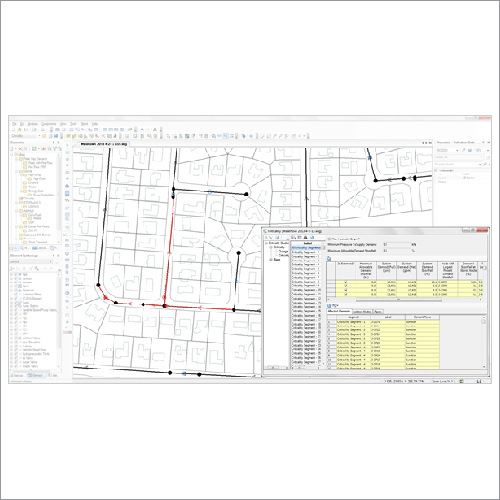
Experience the supreme capabilities of MicroStation CONNECT Edition, now at a special reduced price-try now for the most sought-after professional design software in India! Polished for civil engineering design and drafting, it supports DGN, DWG, DXF, PDF, and more formats. With advanced 3D modeling, high-resolution plotting, integrated autosave, VBA scripting, GIS compatibility, and batch printing, MicroStation is your trusted desktop application. Designed for single/multi-user setup, secure licensing, and seamless upgrades, it operates on Windows 7/8/10 (64-bit) platforms with network licensing and robust data recovery.
Diverse Applications and Usage
MicroStation Software is highly versatile, making it ideal for plant design, civil engineering drafting, and a wide range of other applications such as infrastructure planning and architectural visualization. Its desktop application supports comprehensive 3D modeling and visualization for professional usage. Flexible installation modes and robust customization features like VBA scripting help users tailor workflows for specialized needs, facilitating sought-after project outcomes across multiple design disciplines.
Supply Capability and Export Policy
Our supply capability ensures reliable availability for dealers, wholesalers, suppliers, and service providers across India and main export markets in Asia and Africa. Sample policy includes secure freight and estimated shipping options to guarantee prompt, damage-free delivery. We offer secure shipping services with tracking and careful packaging to protect your MicroStation software investment, giving you confidence that your order reaches its destination safely and efficiently.
FAQ's of Micro Station Software:
Q: How does MicroStation CONNECT Edition benefit professional design projects?
A: MicroStation CONNECT Edition enhances professional projects with advanced 3D modeling, high-resolution plotting, GIS integration, and customizable VBA scripting, streamlining civil engineering and architectural design workflows.
Q: What system requirements are necessary to install MicroStation Software?
A: A minimum of 8 GB RAM (16 GB recommended), 10 GB free disk space, an Intel or AMD processor (1.5 GHz or faster), DirectX 11 compatible graphics card, and Windows 7/8/10 (64-bit) are required for optimal installation.
Q: Where can MicroStation Software be used aside from civil engineering?
A: Aside from civil engineering, MicroStation is commonly used for plant design, infrastructure management, architectural visualization, and GIS data processing across sectors requiring robust professional drafting tools.
Q: When is it possible to access software updates for MicroStation?
A: MicroStation features an automatic update option, allowing users to receive software enhancements and security updates as soon as they are released, ensuring your version stays current.
Q: How does the network licensing process work with MicroStation?
A: MicroStation supports network licensing, enabling multi-user access and centralized license management ideal for organizations, ensuring compliant and flexible deployment.
Q: What security features are available in MicroStation Software?
A: MicroStation offers license-based access control, integrated autosave, and file recovery for robust data protection and secure documentation management during software use.
 Call Us : 08045815970

 Send Inquiry








 Send Inquiry
 Send Inquiry
 Send SMS